SMART-BOX
Smart Life - Smart Living

SMART-BOX
Smart Life - Smart Living
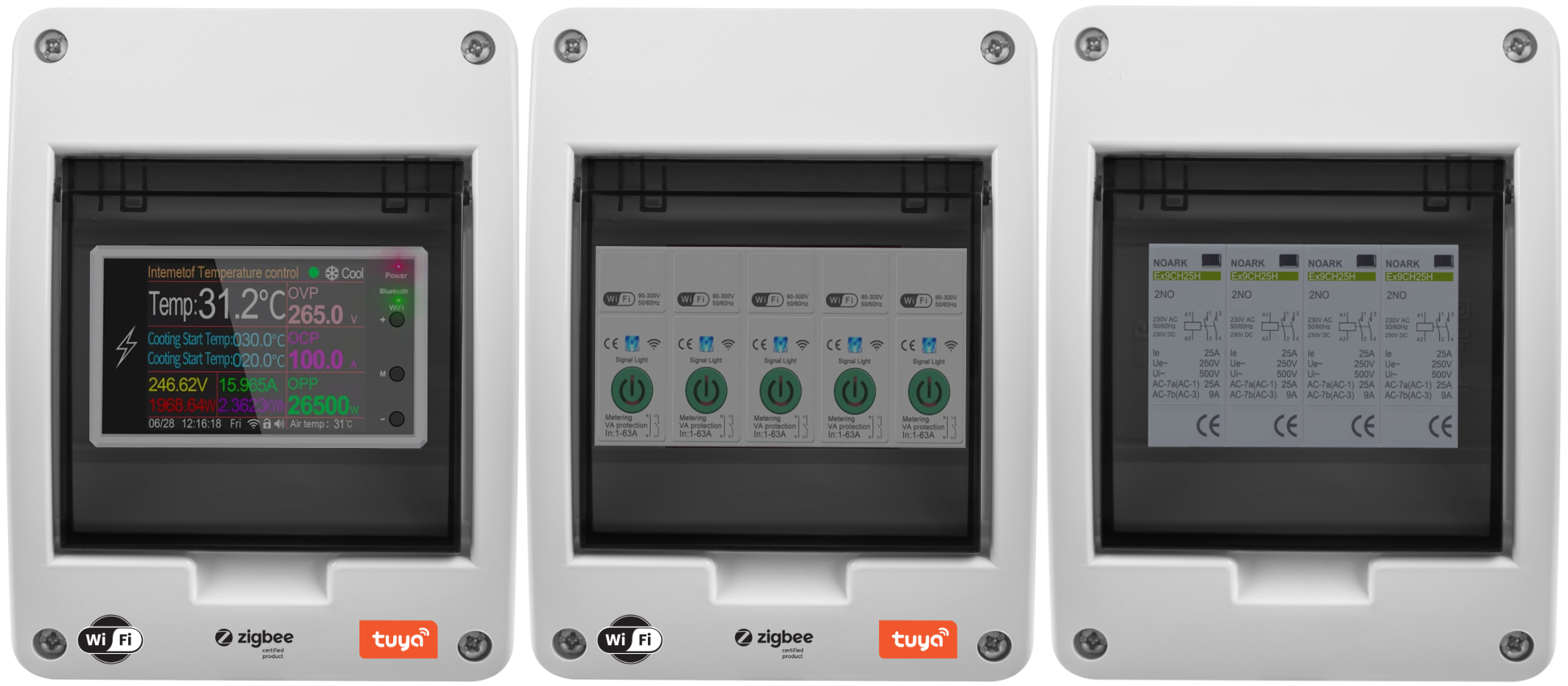
-Works directly with a 2.4GHz Wi-Fi router without the need for additional gateways.
-Equipped with a powerful relay allowing a current flow of up to 100A.
-Internet independence: The thermostat remains functional even without internet access.
-Advanced measurement functions and protection against overvoltage and overload. Integration with WiFi and a mobile app allows for remote control even when you don't have physical access to it.
You can also program a temperature schedule and customize it to your preferences and lifestyle.
Allows the relay to be used in automatic or manual mode. In automatic mode, the thermostat automatically turns the connected heating device on or off depending on whether the set temperature or time of day has been reached.
This allows us to configure the thermostat to control and regulate the temperature itself and provide optimal conditions.
In automatic mode, we can easily configure the device to turn on the heating device when the temperature drops below the set level (Heating mode) and turn it off when it reaches the desired level.
In cooling mode, the connected device will operate until the temperature drops to the target level.
In manual mode, we can remotely control (turn on and off) the heating device from anywhere in the world.
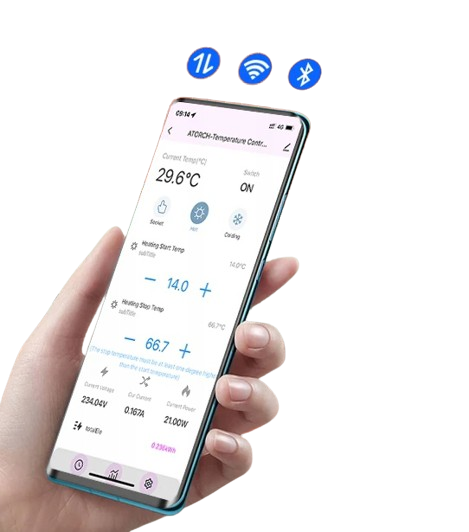
Thanks to the connection to the mobile app, we can easily control the operation of the device regardless of our location.
This means that we can set the temperature in the room even when we are away from home, ensuring optimal comfort and energy efficiency.
Translated with DeepL.com (free version)
1.Remote Control:Connect the Temperature controller to 2.4GHz Wi-Fi, then you can monitor or adjust the Temperature on your phone through the app at any time anywhere.
2.One Relay Same Output:Support one equipment. Auto,ON,OFF
Voltage: AC85-265V 50/60Hz,
Current:0-100A
Power: 12000W(120VAC), 22000W(220VAC). MAX Power:26.5KW(265VAC)
Humidity Display range: 1 ~ 99% RH.
Temperature measurement range: -20 ~ 120°C
Universal temperature probe model: NTC 10K B3950 ± 1%
Plug-n-Play:No complicated installation required.
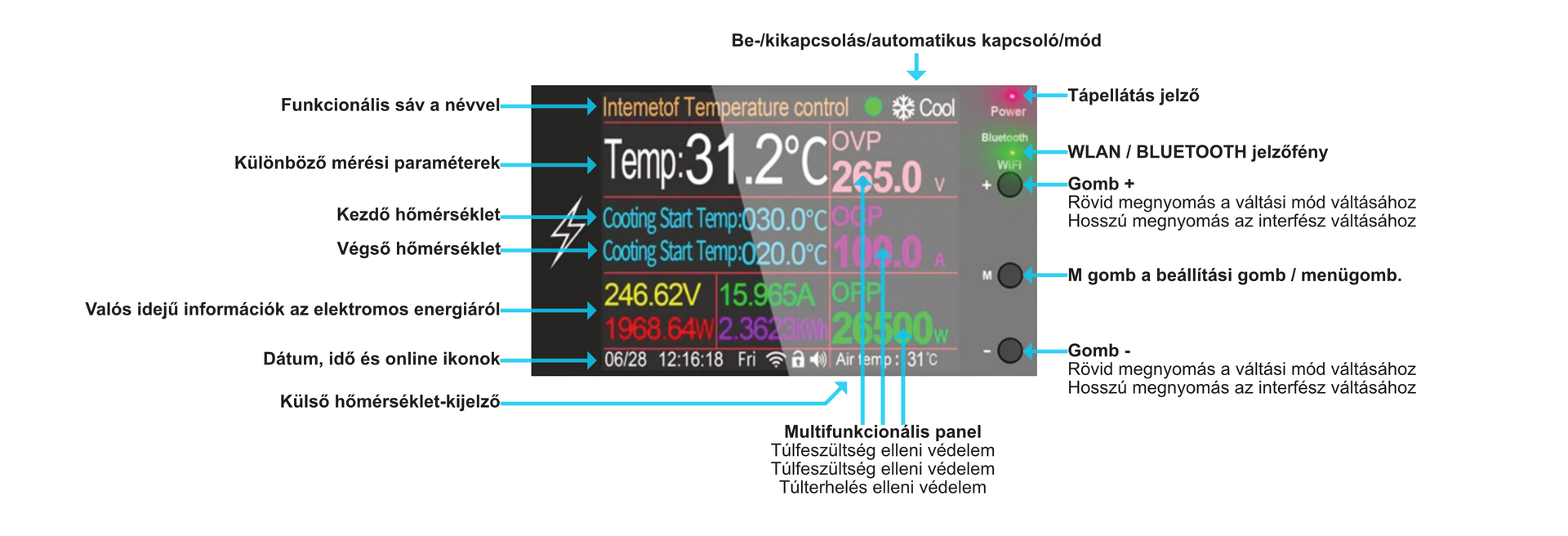
Display the set temperature value and the measured temperature value at the same time with 2.4" inch high screens.
Support Temperature calibration:
Support Tuya and smart life app
Support °C or °F temperature unit setting switch
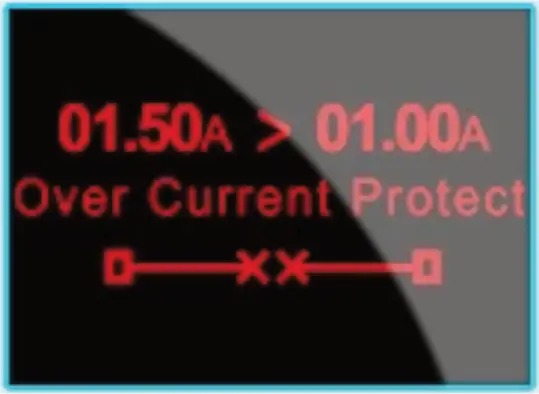
1. Automatic shutdown overcurrent protection
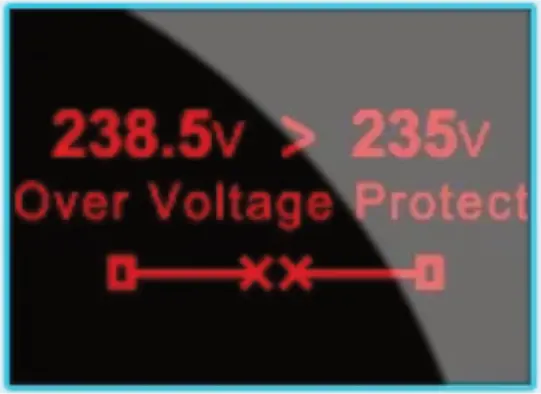
2. Automatic surge protection
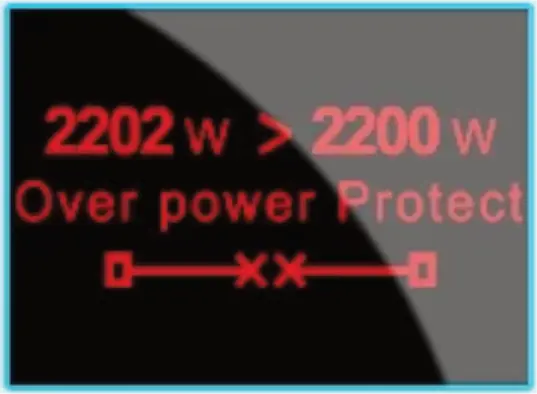
3. Automatic over-power protection
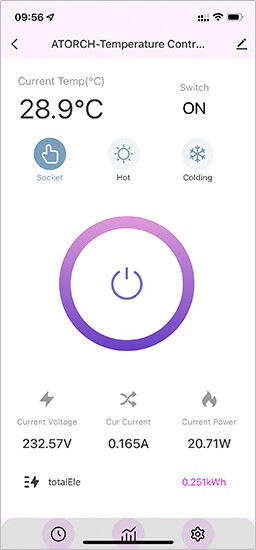
1.Switch interface (ON/OFF)
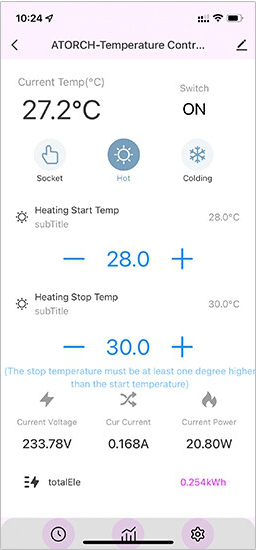
2. Heating mode control
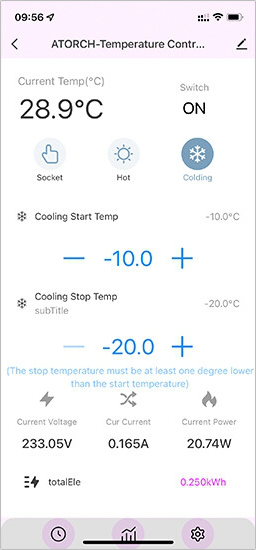
3. Cooling mode control
Please search for "smart life" or "Tuya" app in Google Play or Apple Store
A variety of high-definition color screen designs 2.4-inch high-definition color English display
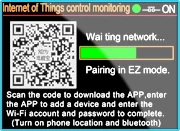
WiFi IoT is waiting for a network configuration interface
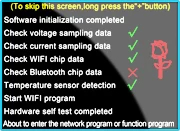
Boot software interface
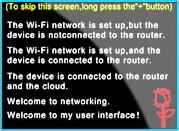
Initial WiFi IoT startup interface
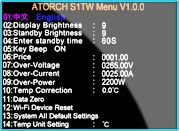
Background settings interface
Press and hold the M button for a long time to enter the background settings
1. Please download the"smart life"software from google play or iphone APP store
2. Device input power, When the device power on, device enter into the status of waiting for WIFI distribution network and the WIFI led will flash is interval. its means meter enter into the status ofwaiting for WIFI distribution network
3. Open the "smart life" app, Add device: Please check firstly that your telephone have connected the available WIFI network, then click "add device " button
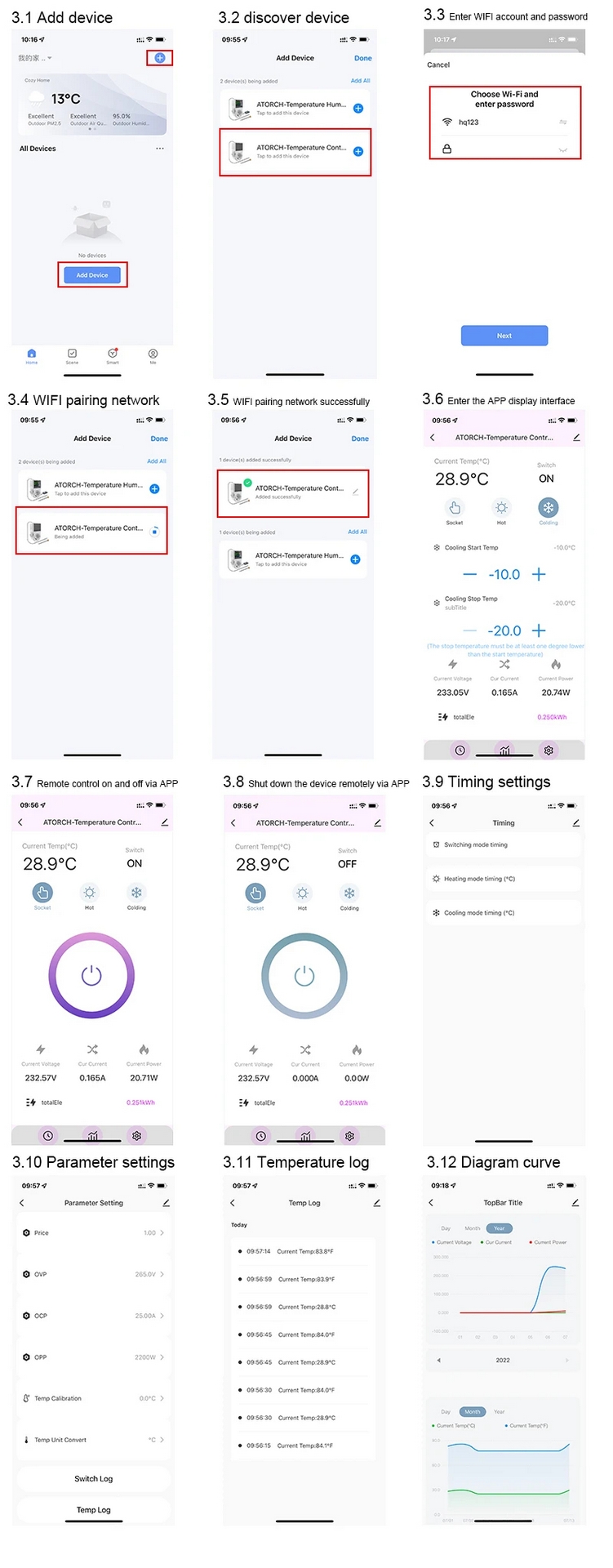

We will release new firmware from time to time, WIFI remote upgrade, please click on the upper right corner of the APP to view >> device upgrade >> update, you can upgrade the firmware


Voltmeter
Ampere meter
Wattmeter
Calculation of electricity consumption
i-Meteoradar
Hygrometer
Timer/Scheduler and other...
The device offers measurement of voltage, current, power, electricity, frequency and displays current indications and totals for the day, month and year energy consumption, displaying the data in the form of graphs.Equipped with overvoltage, overcurrent and power protection functions. In the event of excessive voltage, overload on the line, this product will cut off the power supply, preventing damage to the connected electrical equipment.The values for overvoltage, overload protection can be set individually and adapted to the actual operating conditions.
Internet independence: the thermostat works efficiently even if you don't have internet access.Direct Wi-Fi communication: the device connects directly to the Wi-Fi router, eliminating the need for additional gateways.Remote temperature control: the option to control the temperature manually or automatically from anywhere in the world using the TUYA or SMART LIFE app.
Scenario-based automation: control based on weather conditions, time of day, or activation of OTHER smart devices.Colour LCD display: large digital LCD display accurately displays real-time information, allowing for quick and convenient data reading. Meter functions:The device offers measurement of voltage, current, power, electricity, frequency, power factor and displays current indications and totals daily, monthly and yearly energy consumption, displaying the data in the form of graphs.Protection function:The possibility of configuring the values of overvoltage and overload protection. Changes can be made directly on the device or via the TUYA app.Clean Graphics: presentation of data in the form of graphics, including power and voltage graphs.
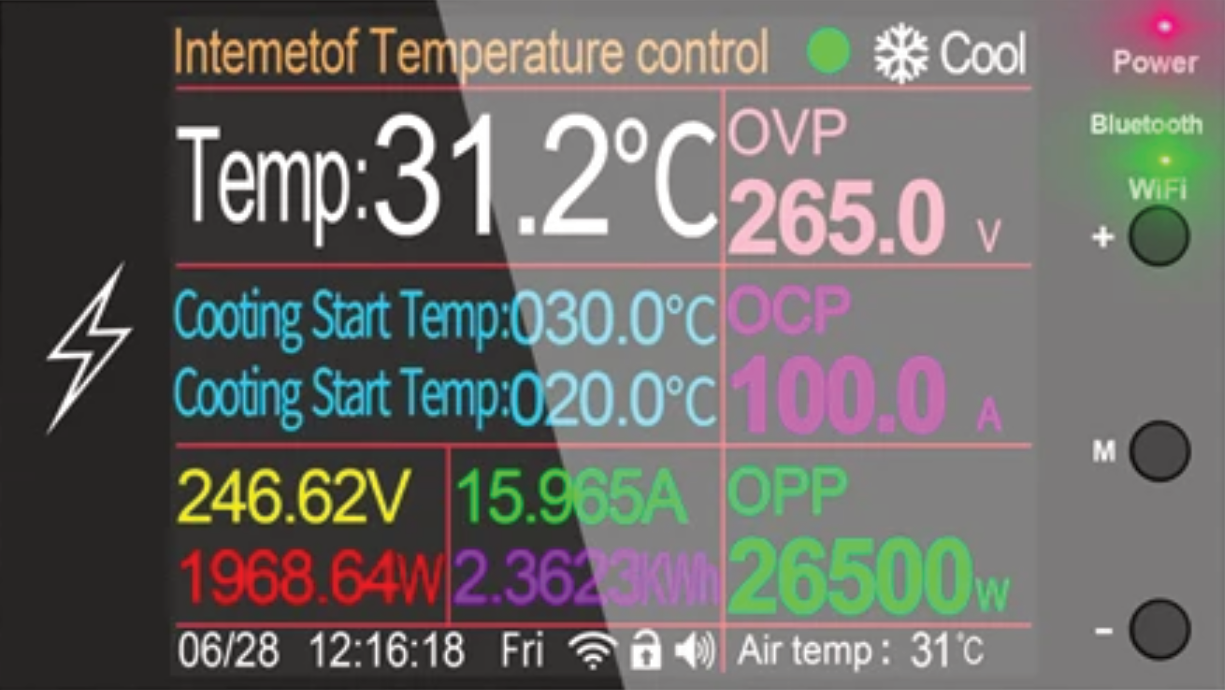
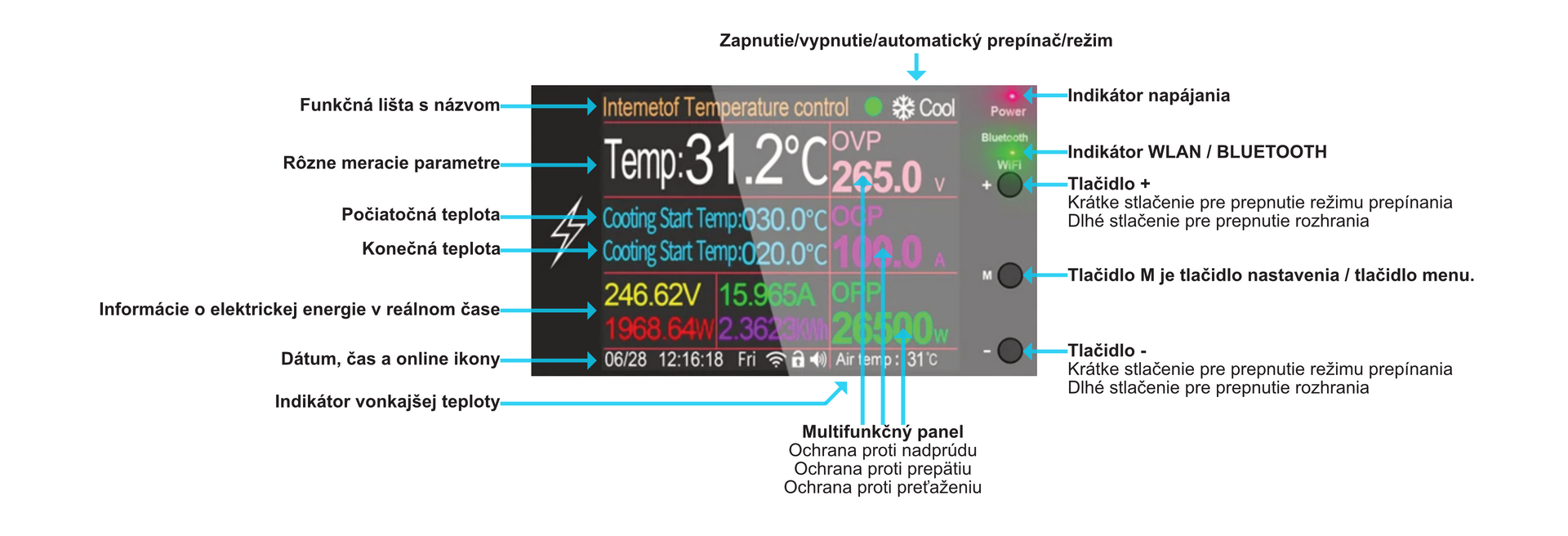
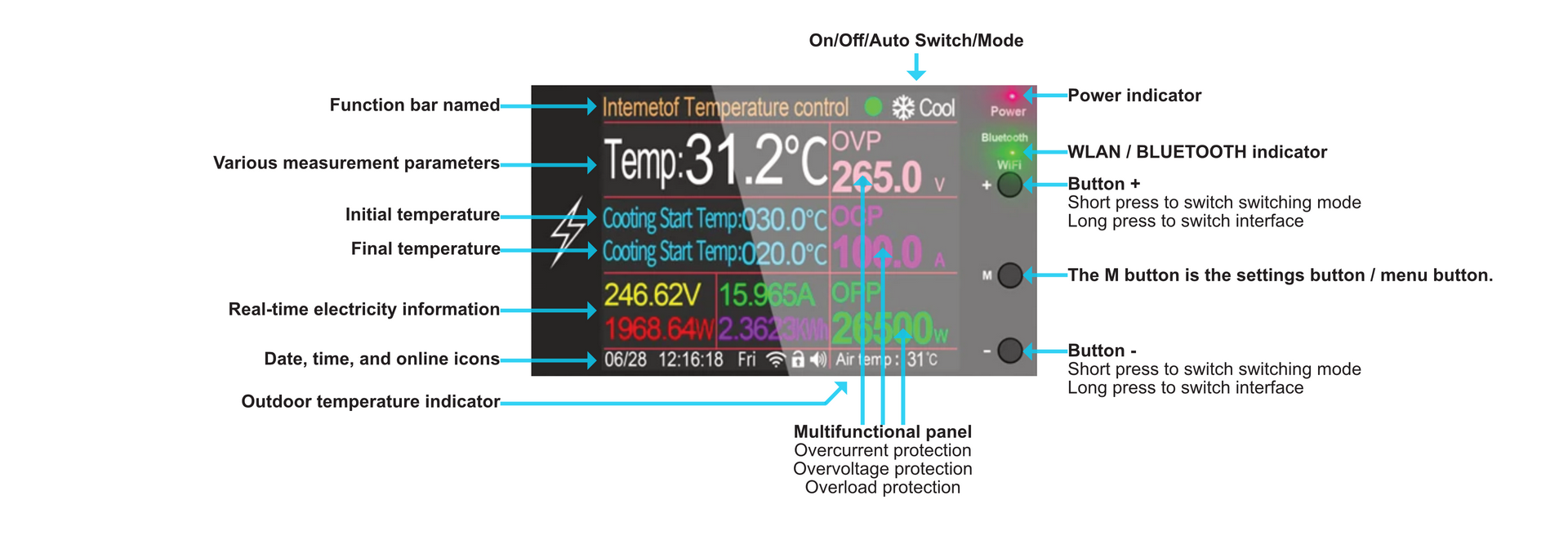
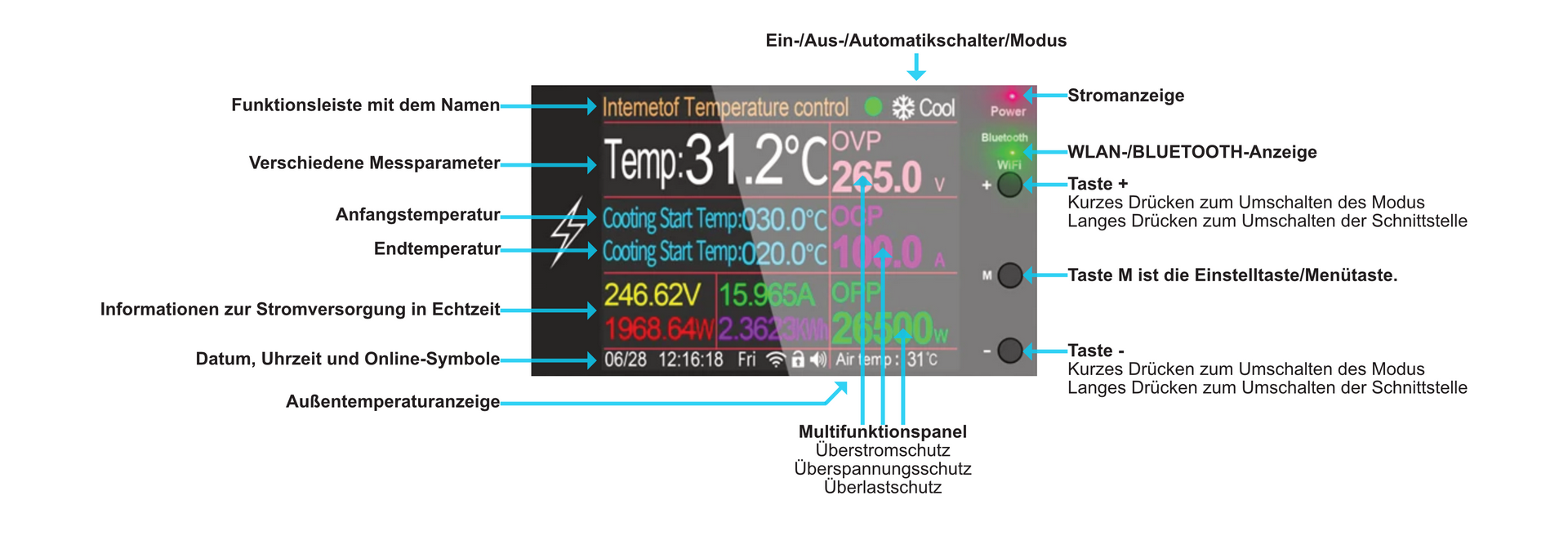
1.Typical skin: displays operating mode (normal relay, cooling mode, heating mode), current temperature, heating or cooling temperature range, current voltage, current, power, overvoltage, overcurrent, overload power protection settings, current date and time.
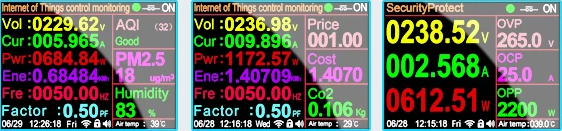
2.Simplified view: current voltage, current, power, wear energy.settings overvoltage, overcurrent, overload power, current date and time.
3.Detailed view of energy consumed: shows circuit breaker status (normal relay, cooling mode, heating mode), current voltage, current, power, energy consumed, mains frequency, power factor, price with Kwh, cost of energy consumed, current date and time.
Supply voltage 75V-265VAC
Maximum receiver current 100A
Voltage measurement 85V-265VAC
Energy measurement 0-99999kWh
Current measurement 1-100A
Maximum power 26.5kW*
Power factor: 0-1PF
Measurement accuracy 1%
Operating temperature -20 to 60 C
Operating humidity 0-50% (non-condensing)
* - Although our equipment is designed to operate at the highest level of performance, we recommend keeping it below its maximum output. Establishing a safety margin will help extend the life of the equipment and ensure optimum performance over a long period of time. For resistive loads, the recommended margin is 20-25%, while for inductive loads, we recommend not to exceed 1/5th of this capacity.
Sensor model: NTC 10K B3950 ±1%
Probe measurement accuracy: ±1°C
Temperature measurement range: -10 to 100 °C
Probe length: 1m
Temperature calibration option.
Protection module specification:
Surge protection: 90-275V (adjustable)
Overcurrent protection: 1-100 A
Power overload protection: up to 26500W
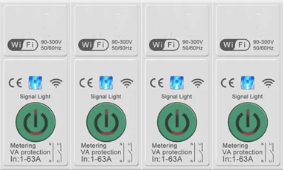
MAIN FUNCTIONS
Remote control
Timing
Time loop
Voice control
Countdown
Real-time power consumption monitoring
GETTING THE DEVICE UP AND RUNNING
1. Connect the power line wires from above to the electronic circuit breaker (see picture). Connect the live wire (L) to the L socket and the neutral wire to the N socket.
2. Make sure you have WiFi and Bluetooth enabled on your mobile phone. Long press the button on the electronic circuit breaker. The LED indicator on the button will start flashing.
3. Open the Tuya app and click on + (Add new device). Hold for a moment, if the device does not appear in the menu by itself, then click on Other WiFi devices.
4. Enter the WiFi name and password for your WiFi network. The WiFi network must be 2.4GHz. 5. Wait for the device to be added to the app.
LED INDICATOR LIGHTS
The LED indicator glows solid blue to indicate a successful NETWORK CONNECTION. LED indicator blinking blue slowly indicates the STEAMING status If the LED indicator is not lit, it indicates the device is not connected to the network (OFF GRID)
The ON LED indicator is lit to indicate the status of the ON switch.
The unlit LED BUTTON indicator indicates the OFF switch status
REAL-TIME CONSUMPTION MONITORING
With an electronic circuit breaker, you can monitor the current, voltage and power of your equipment in real time. You can track power consumption by day, month or year, which helps you better control the power consumption of the devices located behind that electronic breaker.
Product description
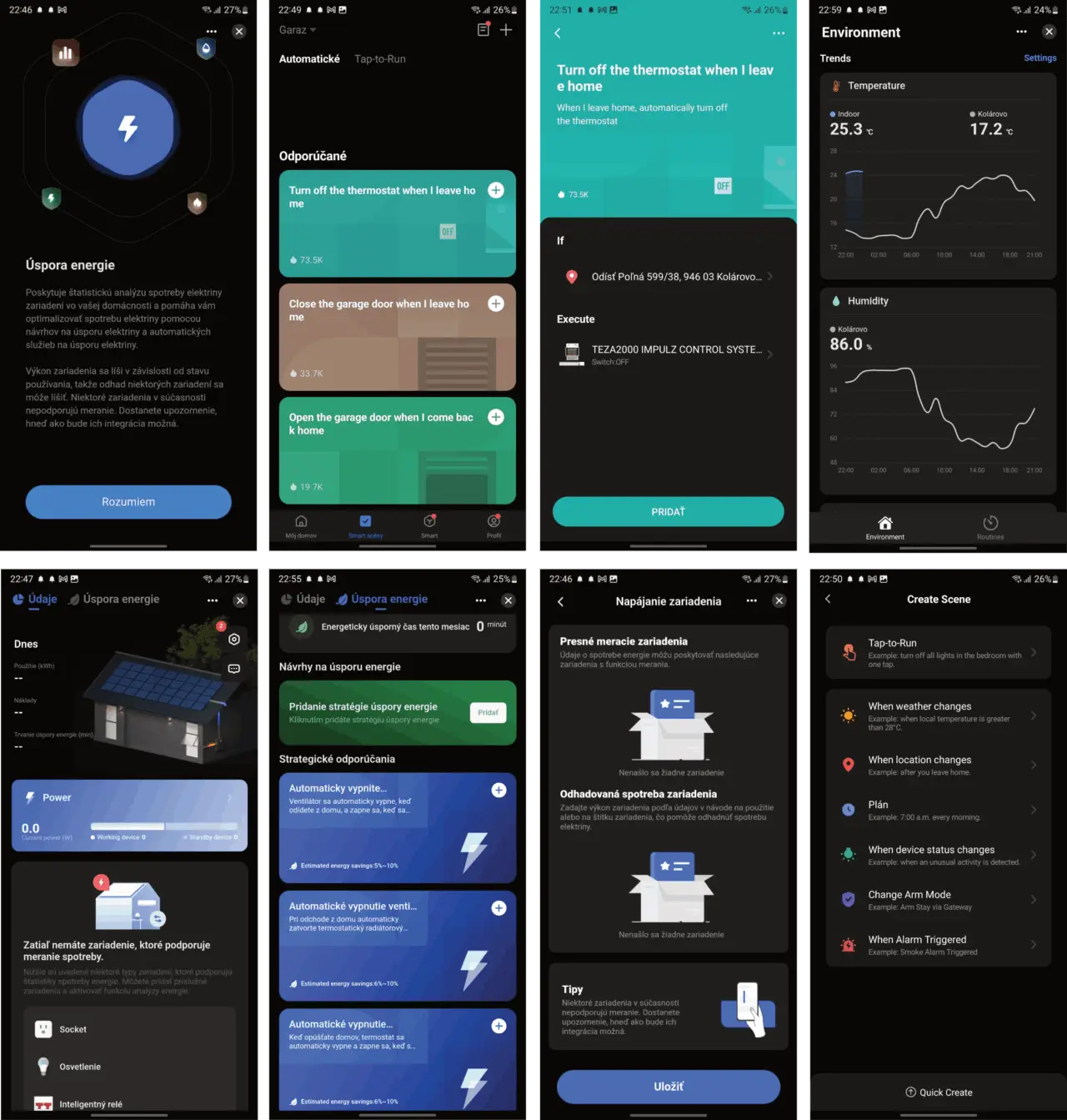
The short answer is: Smart heating gives you more comfort, increased convenience and reduced energy bills. In a word: Intelligence.But wait a minute, we all have a thermostat/controller at home where we set the temperature we want, so why the need for intelligence? That's what we'll explain in today's article.In the better case, your existing heating system is already controlled by some form of timer (where you can set daily or weekly programs) and in the worse case, the temperature control in your home is handled by an old, classic thermostat with a rotary dial, where you need to turn the dial to change the temperature.In either case, however, the basic rule of thumb applies: you can save up to 30% on energy costs, so why wouldn't you address that?
As we wrote above, smart heating brings several benefits that are definitely worth considering. Below we describe in more detail what each of these benefits means and how they can play out in reality. In addition, we will also explain another factor to consider, which is zone heating. If you're really considering smart heating, this is a factor you should consider, as it's guaranteed to deliver significant cost savings.
As we wrote above, smart heating brings several benefits that are definitely worth considering. Below we describe in more detail what each of these benefits means and how they can play out in reality. In addition, we will also explain another factor to consider, which is zone heating. If you're really considering smart heating, this is a factor you should consider, as it's guaranteed to deliver significant cost savings.
*** Translated with www.DeepL.com/Translator (free version) ***
There is no need to physically check and set the desired temperatures on thermostats in individual rooms or on radiator valves, as all devices can take care of themselves based on automatic schedules, by time or by presence (e.g. based on alarm status). Just as importantly, you can control your smart heating from your smartphone whether you're at home or away. You can change the heating even when you're on holiday!
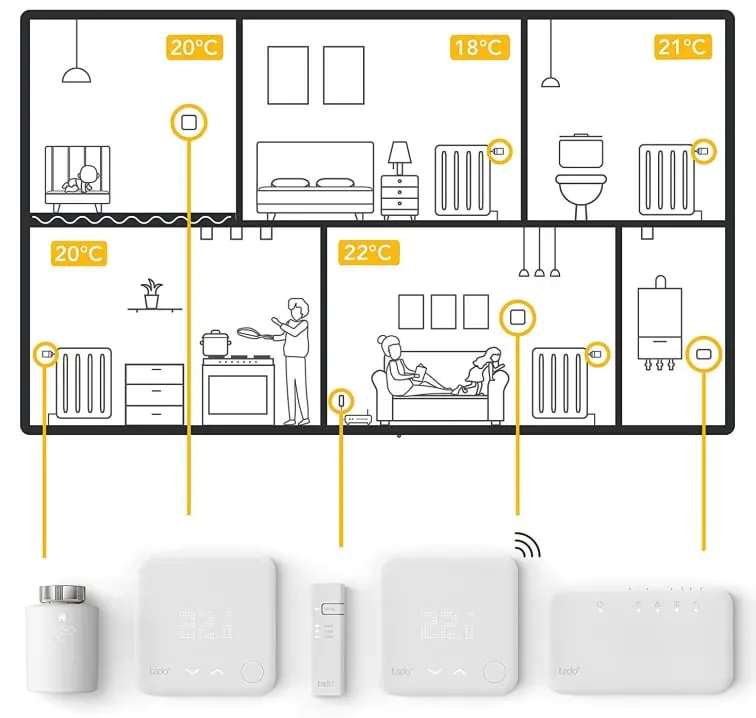
By controlling your heating intelligently, you can significantly reduce your energy costs - even small changes can have a big impact. It's not just about controlling the temperature based on time, but also using other components of the home automation system.For example, the temperature set in the children's room is higher than in the bedroom. During the day, the children are playing and the room is too warm for them. To cool down, they open the window. Well, when it is winter time, this solution is very effective to quickly reduce the feeling temperature. However, children don't realise (why should they) that when the window is open you are wasting money on heating - they just want to be cooler. At best they will close the window themselves, but only after an hour, at worst the window will stay open until an adult notices.A simple smart solution for underfloor heating is a magnetic sensor to detect an open window, and for radiators is a smart head on the radiator with open window detection. When a window is opened, the home automation system automatically switches off the heating in the room, helping to reduce heat waste and save on housing costs.
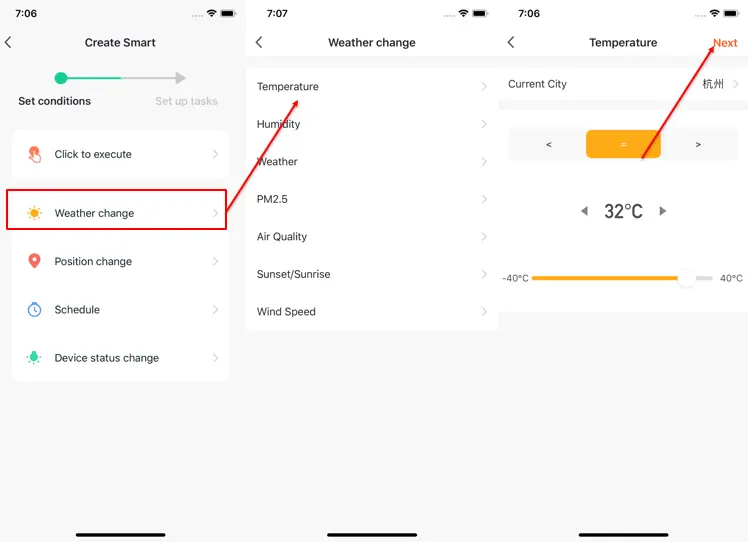
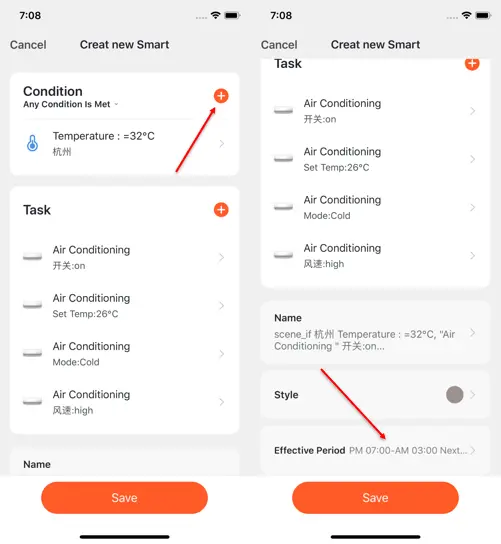
When you click on "Automation", a page called "Create Scene" will appear to guide you through the setup.You need to set the conditions that will later be used to run the scenario. Here we will take the "Weather Change" setting as an example.After clicking on "Weather Change" you need to set the conditions more specifically. Here we will choose "Temperature" as an example.After selecting the desired temperature, click "Next" to save the setting and move on to the next step.
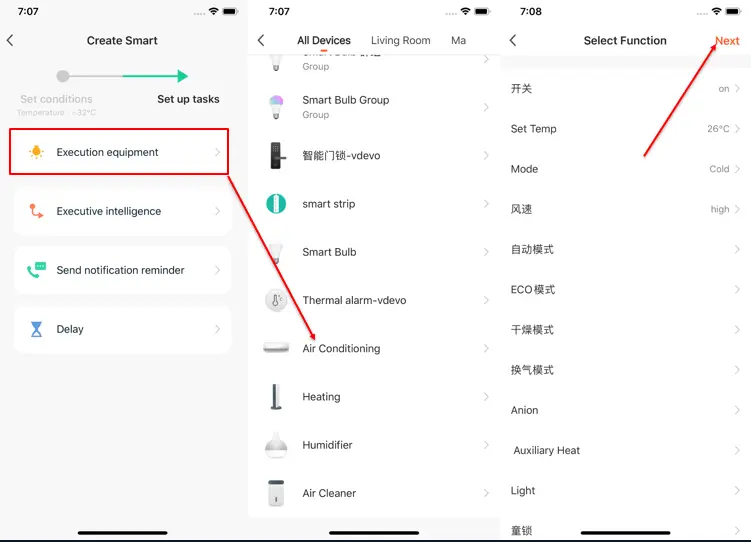
After setting the conditions, the application will go to the task setup page.
Here we will choose "Execution Equipment" as an example, which means selecting the equipment to execute the tasks.
As an example, we will select an air conditioner.
After selecting the equipment, you can set several "functions" for it. For example, we select "Switch: On, Set Temp: 26℃, Mode: Cold, Wind: High", which means when the conditions we set are met, these functions will be turned on. Then click "Next" button to save and go to the next step.
Set "Condition" and "Task" to save.
To add more conditions, click the "+" in the upper right corner.
At the bottom of the page, select the effective period for your "Automation". Here we will select "7:00pm - 3:00am" to prevent the air conditioner from turning on during business hours when no one is home.
The disadvantage of central heating is that you heat the whole house based on the temperature measured by the thermostat in the reference room. And the thermostat typically is located in the hallway, which doesn't give you the correct reference temperature. Why is that? Because for many decades plumbers and developers were used to putting the thermostat in the hallway, and that habit still persists. Unfortunately they are not adapting to the new possibilities and benefits of new technology solutions. Consequently, what happens is that you either heat the whole house for an unnecessarily long time (if the hallway is cooler than the living room, for example) or not enough (if the hallway is in the middle of the house and heat is radiating from every room through an open door, or from the floor through the pipes that run through the hallway to the individual rooms).